I got a question from a customer asking how to implement a solution like VMware vApp to start and stop VMs with specific sequence in OpenShift Virtualization. In this example, my mission is to use ArgoCD and Ansible to solve this problem in a modern way.
With GitOps, we can leverage Infrastructure as Code (IaC). Ansible handles the VM lifecycle and OS configuration, while ArgoCD manages the application layer in Kubernetes.
Why this is a better solution?
- Stop configuration drift by using Git instead of relying on manual snapshots and golden images, which can get outdated. Git gives you one reliable place for both your infrastructure and application state.
- Separate your infrastructure from your apps. Updating an app in a vApp usually means re-exporting an OVF or cloning VMs, but keeping these layers separate lets you roll out app updates in seconds without touching the VMs.
- Automate multi-tier orchestration. While vApps use basic GUI timers for startup order, tools like Ansible and ArgoCD rely on dependency graphs, health checks, and sync waves to help services start up reliably.
My Test Environment:
- OpenShift Virtualization
- OpenShift GitOps Operator
- Ansible
- Python 3
Steps to test:
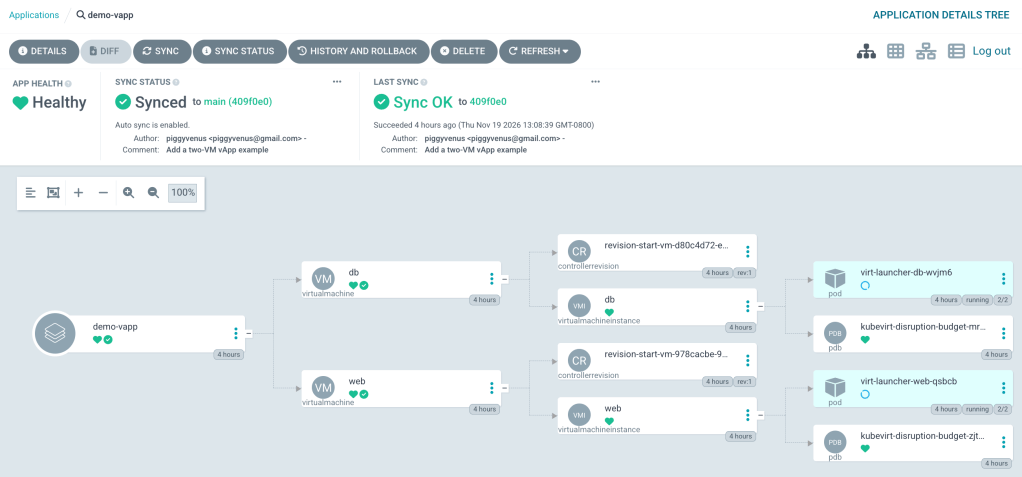
This example deploys 2 VMs (web and db) as one application, with the db starting before the web. Instead of using VMware vApp, we use ArgoCD to create a demo-vapp application deployment with both VMs. ArgoCD creates the DB VM first, then the web VM. Ansible is responsible for shutdown and startup operations.
The requirement of the use case is to control the start and stop sequence, like how vApp does.
1. Check the cluster
We need OpenShift Virtualization and OpenShift GitOps, permission to create a namespace, and a bastion to run oc and git commands.
oc whoami
oc get csv -n openshift-cnv
oc get pods -n openshift-gitops
2. Create the vApp manifests. Example repo is here.
git clone https://github.com/piggyvenus/demo-vapp.git
cd demo-vapp
The demo-vapp tree:
demo-vapp/
  vapp/kustomization.yaml
  vapp/db.yaml
  vapp/web.yaml
  ansible/requirements.yml
  ansible/power-vapp.yml
  ansible/power-group.yml
  application.yaml
The application.yaml is the ArgoCD custom resource for managing and deploying the demo-vapp application.
If you look into the db.yaml, it uses argocd.argoproj.io/sync-wave: "1" as annotation and start-order: "10" as label. Also, web.yaml uses argocd.argoproj.io/sync-wave: "2" as annotation and start-order: "20" as label.
The example uses sync waves with the argocd.argoproj.io/sync-wave annotation to sync resources in order. The value defines the deployment ordering from low to high.
The start-order label is for the startup and shutdown sequence.
3. Create namespace and grant permissions
oc login -u <user> --server=<api_url:6443>
oc new-project demo-vapp
oc adm policy add-role-to-user admin \
system:serviceaccount:openshift-gitops:openshift-gitops-argocd-application-controller -n demo-vapp
oc adm policy add-role-to-user kubevirt.io:admin
system:serviceaccount:openshift-gitops:openshift-gitops-argocd-application-controller -n demo-vapp
4. Deploy demo-vapp
oc apply -f application.yaml
5. Go to ArgoCD UI and navigate to the demo-vapp application.
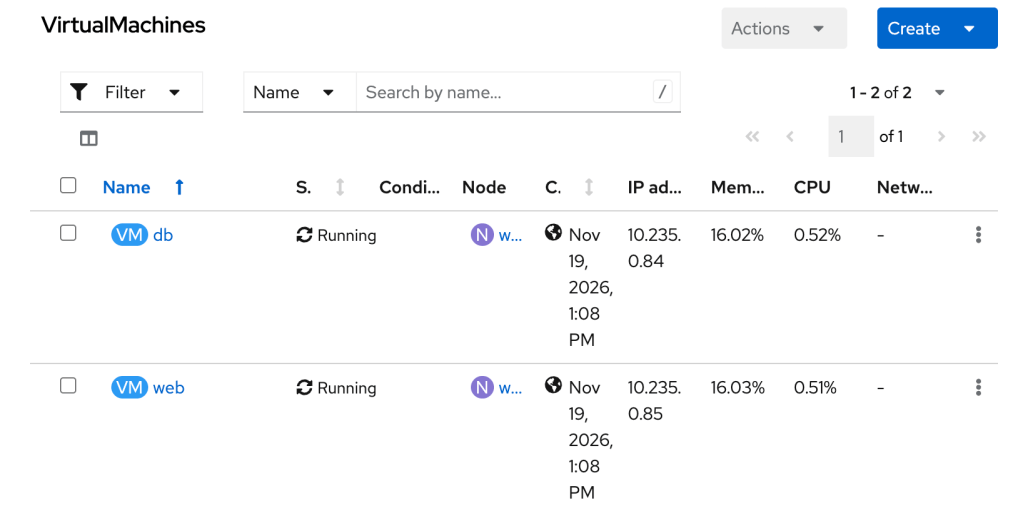
6. From the OpenShift Virtualization console, you can see both VMs are now running
7. Now, you can install Ansible to run the power sequence on the bastion
python3 -m pip install ansible-core kubernetes
ansible-galaxy collection install -r ansible/requirements.yml
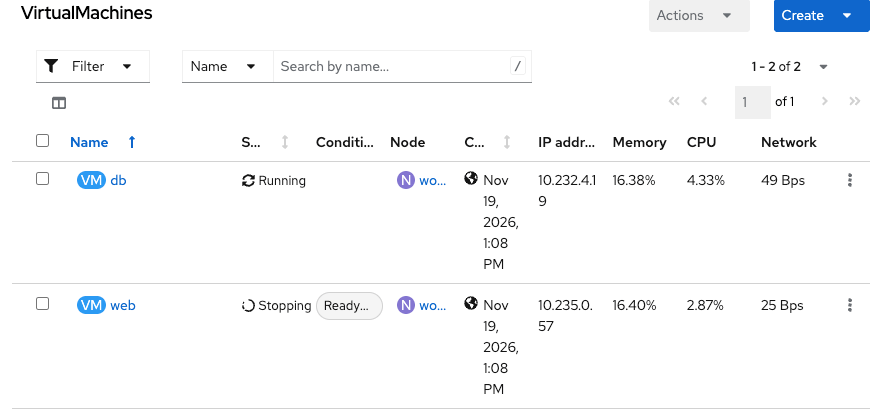
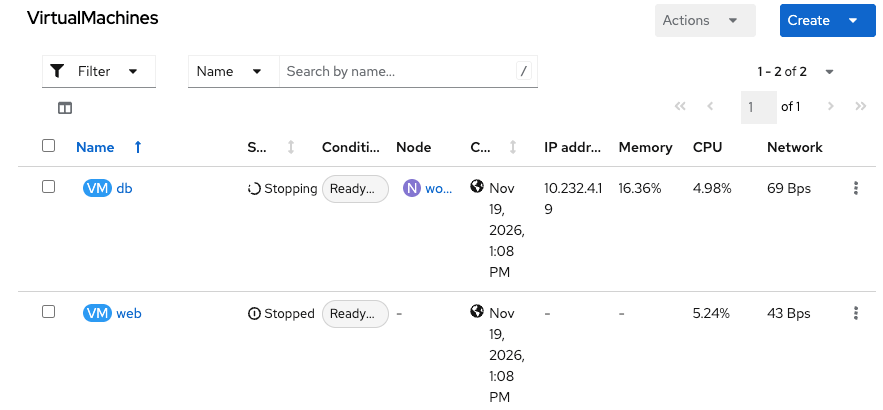
8. Shut the demo-vApp down. This will first stop web, wait until it is stopped, then stop db. You can watch the VMs on the OpenShift Virtualization console for VM status updates.
ansible-playbook ansible/power-vapp.yml -e power_action=stopped
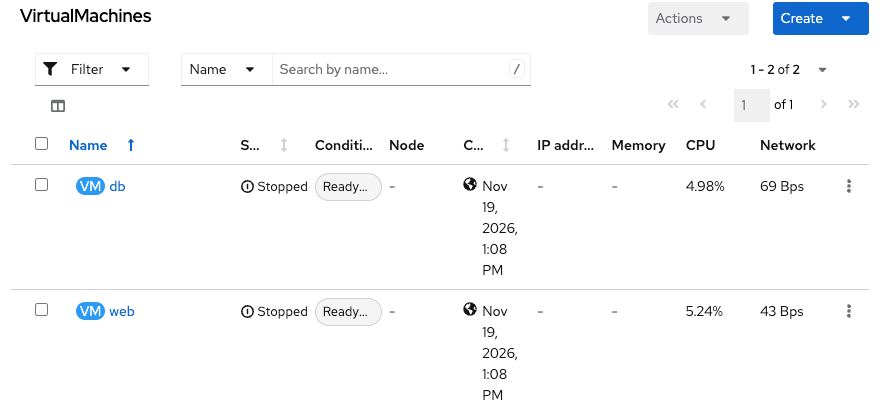
9. Test the start sequence
ansible-playbook ansible/power-vapp.yml -e power_action=started
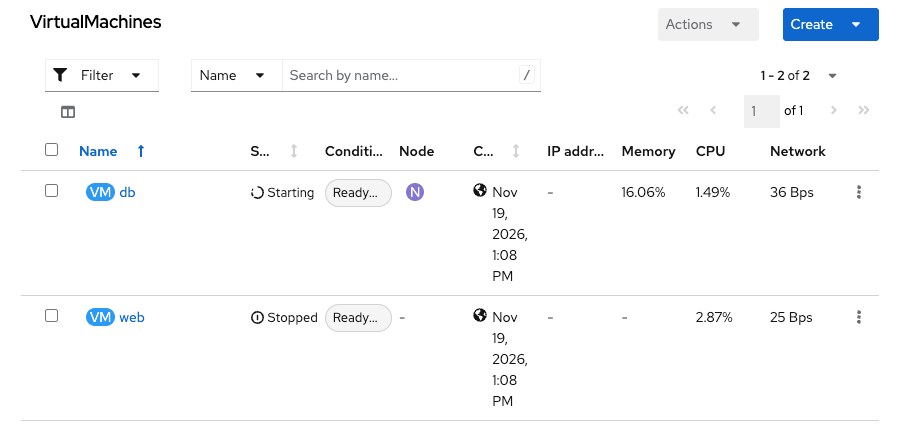
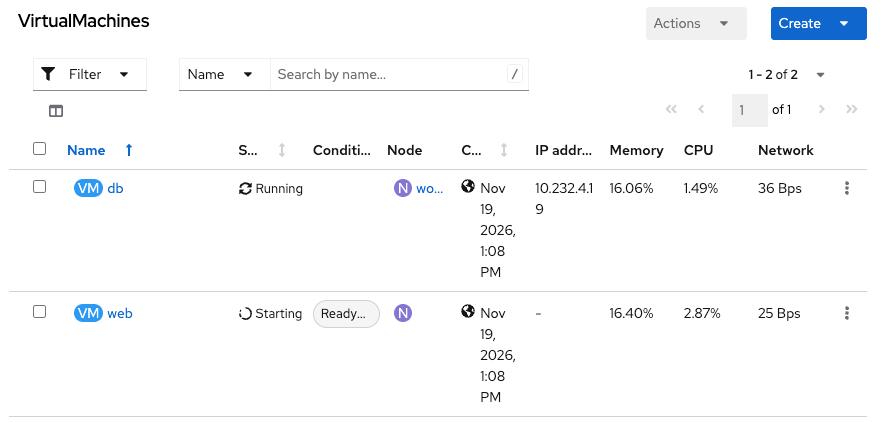
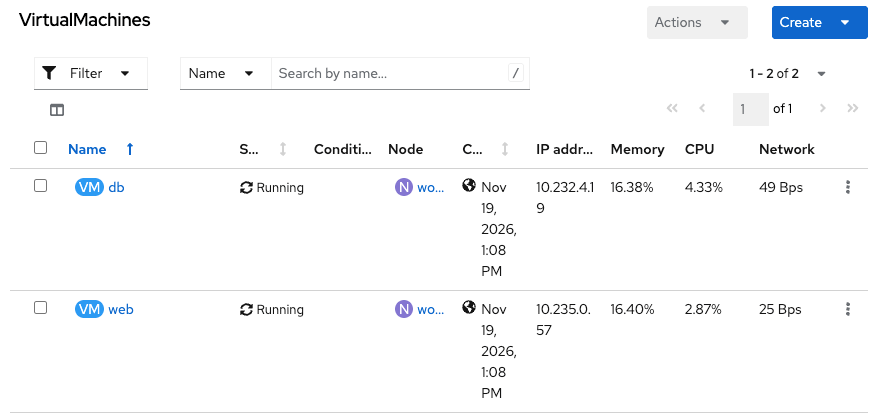
The start sequence starts the DB VM first, waits until it’s running, then starts the web VM.
Please leave me comments about this solution instead of using vApp.

